
Today, we’re announcing embedded index support for Word .docx documents on the IndexerLabs platform.
This means that, instead of only returning a separate index as plain text, we can now insert embedded index markers directly into the original Word document itself.
What is an embedded index?
In Microsoft Word, an embedded index works by placing invisible markers throughout the document. These markers (called Index Entry fields) tell Word which passages belong under which index entries.


When the document is opened and the index is updated, Word compiles the final index and calculates the page numbers automatically.
In other words, the index is tied directly to the insides of the document itself rather than existing only as a separate exported list.
How do I use this new feature?
Select “Return embedded DOCX” in the job creation menu and upload your Word document.
We will return the original Word file to you with the index markers inserted.
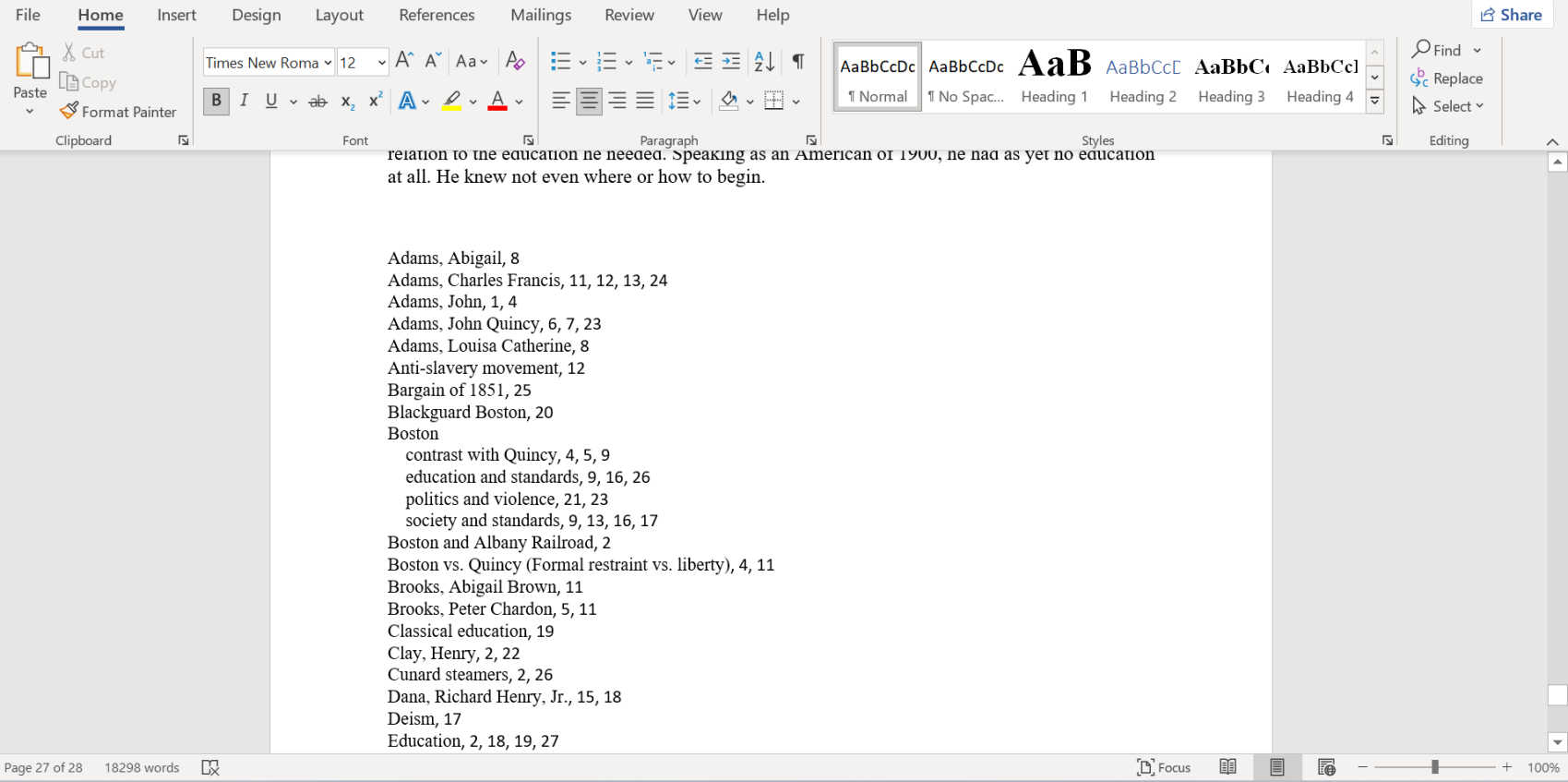
It will then look like this in Word:
Why would you want an embedded index?
Many publishing workflows are still centered around Word documents, and embedded indexes fit naturally into that environment.
But there is another reason that is just as important: embedded indexes are dynamic.
If you make a small edit later—add a sentence, remove a paragraph, slightly change spacing, adjust formatting, or otherwise shift the pagination—then the page numbers in a static index can become outdated. With an embedded index, Word can simply recompile the index from the updated document and regenerate the page numbers correctly.
That is a very nice property even in ordinary human indexing workflows.
Why this is especially useful for AI book indexing
This becomes even more important when indexing books with AI.
One of the hardest problems in AI-assisted indexing is page-number reliability. A model may identify the right passage, but if it is asked to output final page numbers directly, there is always a risk of mismatch, drift, or hallucination.
Embedded indexing gives us a much better solution.
Instead of asking AI to produce the final page numbers that will appear in the delivered Word index, we can use AI to determine what should be indexed and where the markers belong, then inject those markers into the original uploaded .docx file. After that, Microsoft Word computes the final page numbers from the document’s real layout.
That means the final page numbers are not being guessed by the model, but rather are being generated by Word from the source document itself.
How this relates to our locator verification work
This approach builds naturally on the same reliability philosophy behind our earlier work on verifying over 20,000 locators at scale.
In our ordinary PDF-based indexing workflows, we already spent a great deal of time building systems to verify locator accuracy rather than simply trusting raw model output. That work was all about reducing hallucinations and increasing confidence in the final references.
Embedded DOCX indexing is, in a sense, the stronger version of that idea.
With PDF workflows, we can validate and verify locators very aggressively. With embedded Word workflows, we can go one step further: the final page numbers in the delivered document do not have to come from the model at all. They are regenerated inside Word from the actual document layout.
This helps solve one of the most important technical problems in AI indexing. When the final delivered index is regenerated from embedded markers inside the original document, we no longer have to rely on AI-guessed final page numbers.
Embedded indexes give us a way to combine AI-driven index generation with Word’s own pagination engine, which means the final page references can be regenerated from the original document itself rather than guessed by a model.
Today, we’re very happy to bring that capability to the IndexerLabs platform.